


Affiliate Disclosure As a Plugin Boutique and Amazon Associate I earn from qualifying purchases. This post may contain affiliate links. For more details, refer to my Terms page.
This was one of the first plugins I ever owned and I use it on pretty much all my mixes. It doesn't do much, but it does loads!
This is a post reviewing the plugin Sausage Fattener from electronic duo Dada Life. The plugin is a mix of a compressor and a distortion VST audio plugin offering a fattening element to your production.
Jump to:
Introduction to Sausage Fattener
Once in a while a plugin comes along that is unique and offers something so simple but effective that you just have to use it. The Sausage Fattener plugin from Dada Life offers just this. It was one of the first none in the box plugins that I bought. I may even blame this plugin for my plugin junkie addiction efforts, it certainly was the catalyst to a lot of what I own today!
Sausage fattener is a really simple plugin in that it has two knobs and an iffy looking picture of a cartoon sausage.
Is Sausage Fattener worth it? Yes, if you make electronic or club-focused music and want a fast way to add weight to bass and drums. It's a one-trick plugin, though, and that trick is narrow. If you're after an all-purpose compressor or saturation tool, look elsewhere first.
Getting Started
Installation of the plugin is a quick and easy process. The installed file allows both 32 and 64 bit versions of VST and also an AAX option. The licensing is an interesting feature, in that when you purchase the plugin you get a custom download link. There is no serial or key, but once you have it installed your license name is shown on a part of the display. This is a nice touch.
The plugin can be launched within the DAW from the usual 3rd part VST list (being listed under SausageFattener as the plugin name and Dada Life as the vendor if you are struggling to find it). Once on the track a simple turn of the respective dials will start to make some changes to the sound. It's really easy to know when this plugin is switched on!
Notable Features of Sausage Fattener
- Fatness knob
- Color knob
There is not a lot to write about when it comes to reviewing the notable features of the Sausage Fattener plugin. This is because there are only 2 features in there, two knobs or dials - fatness and color. Use Brits are not a fan of the American spelling of colour but that's how it shows on the plugin so guess I'll have to make do.
The Sausage Fattener only has two knobs but with those seemingly simple parameters you can create a variety of different sounds. The flexibility of being able to use the Sausage Fattener on a single channel with moderate settings will give a performance similar to that of a compressor. However if you want to turn it up then you can create elements of distortion.
Furthermore, the plugin can be added to a separate effects bus or mix channel - for example all the drums and the bass to give some effect on that. You can also go the whole hog (no pun intended) and use it on the whole track as a mastering plugin.
Hear a demo of Dada Life Sausage Fattener
I chose to only add 50% Fatness and Colour to the audio sample drum loop I was working with but as you can tell, 50% makes a huge difference. I love that the more Fatness you add the more angry the sausage gets. (That's not a sentence I ever thought I'd write).

Hear the plugin in action here:
As you can tell the drum loop that this was demonstrated with was a really simple loop with not a lot going on. However adding the plugin and dialling in 50% of Fatness and 50% of Color gave me the results you can hear above.
There is also a gain knob available to open up the ability to increase the gain on the signal output. This comes in very useful when running this plugin on an individual instrument channel when some extra signal is needed. Gain can increase quite drastically (it can also decrease - the dial works from -36dB to +36dB with 0 in the middle, obviously. When used with the combination of the fatness and colour dials then the sound really comes into its own. Adding after a synth such as Massive X or Serum 2 will show just what Sausage Fattener can do.
I found that adding some low end or white noise to a "clean" track will give some more ambience to a production. The dirt that this plugin can provide really helps to set a vinyl sound adding some dirt and crackle if that is something you want to achieve in a recording. While this can be achieved with plugins such as Izotope Vinyl and Abbey Road Vinyl from Waves, it just shows the versatility of this software.
With other plugins such as TDR Molot or RC-20 color you can really dial in some compression in to the initial source and amplify with Sausage Fattener. Try using other compression or saturation tools in the same chain to experiment with sounds.
No Presets Available
There are no presets to share with this plugin due to the simplicity of the effect. Even having a preset of, say 50%, would differ widely on a synth and on a kick. So there would be no real advantage to setting any preset sounds as the effect will wildly vary and the whole point of the plugin is to be flexible and adventurous.
The great thing with this plugin is that only a little amount of dialled in sound will allow you to have a distinct effect on the track or instrument it's being used on. Less is certainly more when it comes to bumping up the fat.
Alternative Plugins for Phat Bass Available
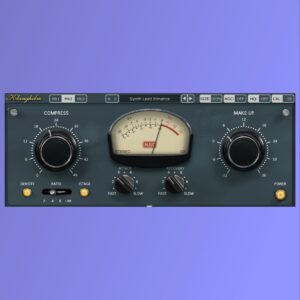
When it comes to audio effects then there are a lot of compression and distortion plugins which are available on the market to achieve these sounds. The D16 Decimort plugin will be great for distortion. Soundtoys Decapitator is a brilliant noise making tool too which will achieve similar results. If it is compression that you require, look no further than MJUC from Klanghelm for a low cost compressor or a little more investment will get you into the Fab Filter range of plugins.
Free alternative: for the same fattening effect without buying a dedicated plugin, stack your DAW's stock compressor with a saturation or distortion device. Bitwig's own Saturator and Compressor+ combination gets close for free. It takes more manual tweaking to get there, which is the trade-off for not paying for the one-knob convenience.
Check out my beginners DAW guide for picking a digital audio workstation and see what they offer.
Who Uses Dada Life Sausage Fattener
Dada Life are the big pusher of this plugin - https://dadalife.com/news/ and they have a few similar fun plugins as part of their weaponry. They have featured in some magazine articles about their tours and production techniques. Of course some self promotion of their product is inevitable but worth having a look.
Frequently Asked Questions
Is Dada Life Sausage Fattener worth the money?
Yes, for electronic and club producers who want a fast way to add weight to bass and drums. It's less useful as an all-purpose tool given it only has two controls.
Is Sausage Fattener free?
No. It's a paid plugin, though it's occasionally discounted. Check Dada Life's site for current pricing.
What does Sausage Fattener actually do?
It combines compression and distortion behind two controls, Fatness and Colour, to add weight and edge to a signal.
What's a free alternative to Sausage Fattener?
Stacking your DAW's stock compressor and a saturation or distortion plugin gets a similar result, with more manual work involved.
Where To Buy
Sausage Fattener sits at the budget end of specialist effect plugins. Check current pricing on Dada Life's site Tailored Noise, as it's occasionally discounted.
Buy Sausage Fattener
Links marked * may be affiliate links. They cost you nothing extra, but do help fund my site. Learn more how I use affiliate links.




Leave a Reply